Jumbula Business App
Run Your Programs From Anywhere
Give your staff a powerful mobile app to see today’s programs at a glance, take attendance in seconds, and keep dismissals secure. The Jumbula Business App syncs with your main account, putting schedules, reports, and role-based tools in one place for teams on the go.
Home
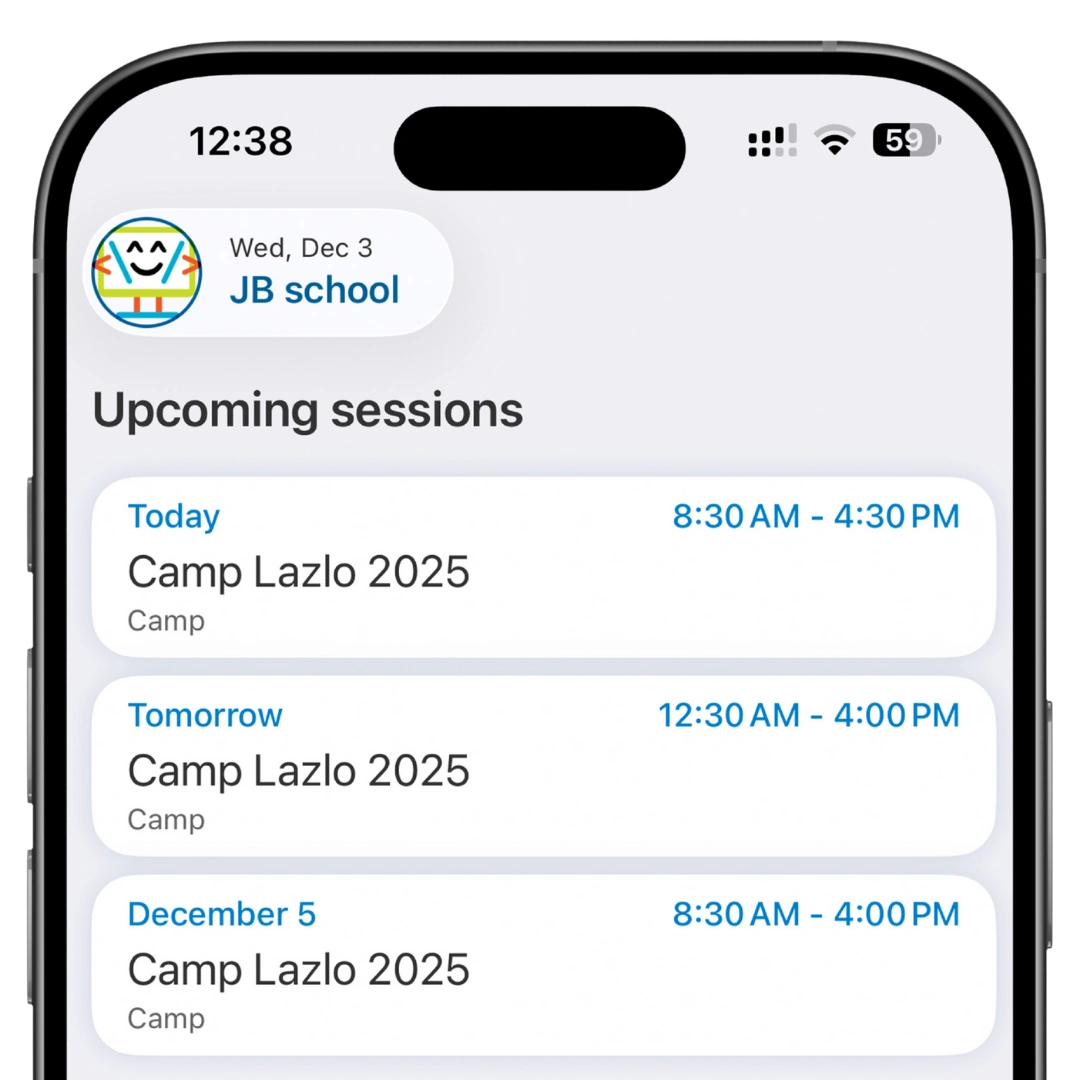
Your Day at a Glance
Start every shift with a clear list of today’s sessions and what needs your attention. The Home screen brings upcoming and ongoing programs into one place so staff can tap directly into attendance and dismissal, quickly switch between schools or locations, and search for specific programs in seconds – keeping every site running smoothly.
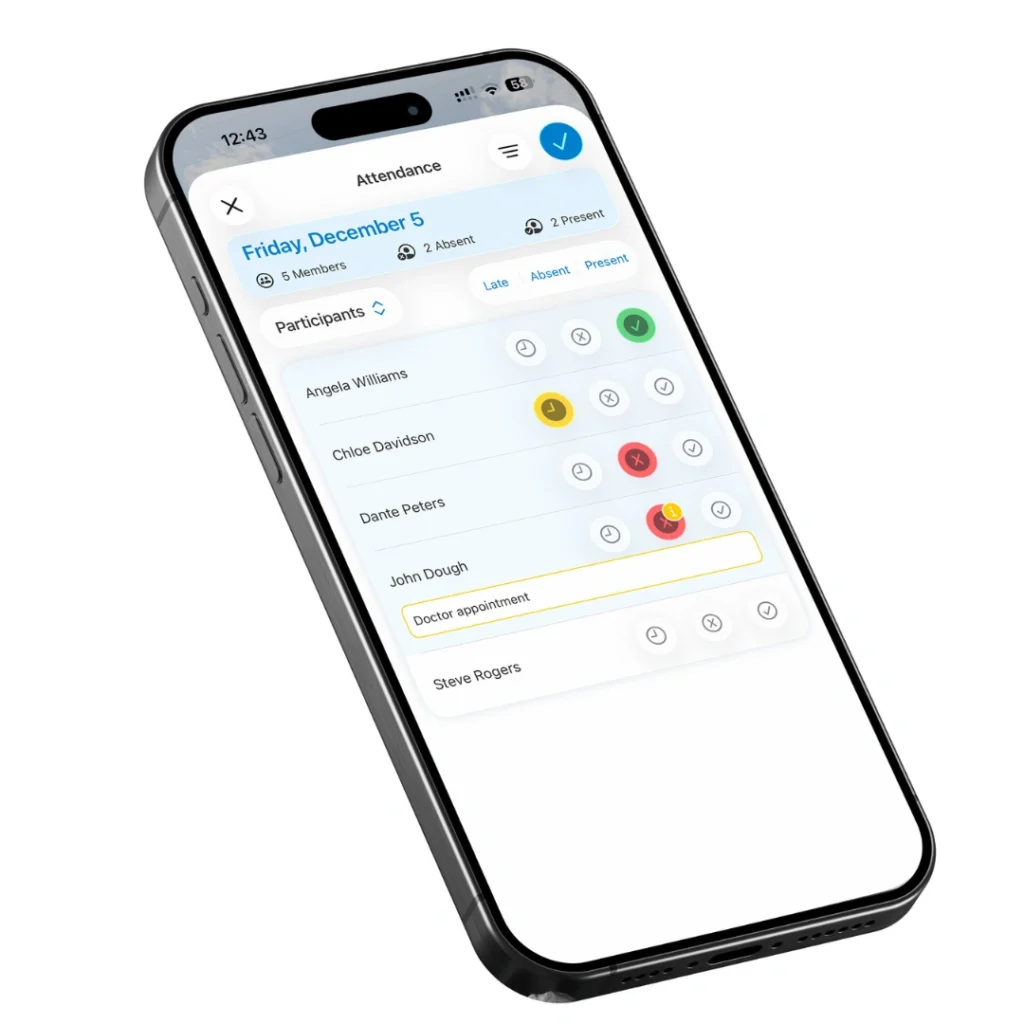
Attendance – Fast, Accurate Tracking for Every Session
Quickly record who’s present, late, absent, or excused from any device, so your records stay up to date in real time.
Key points:
- Mark Present, Late, Absent, or Excused with a tap
- View attendance by program, session, group, or date
- Add notes for exceptions, incidents, or follow-up
- Use visual indicators to scan the list and spot who’s missing
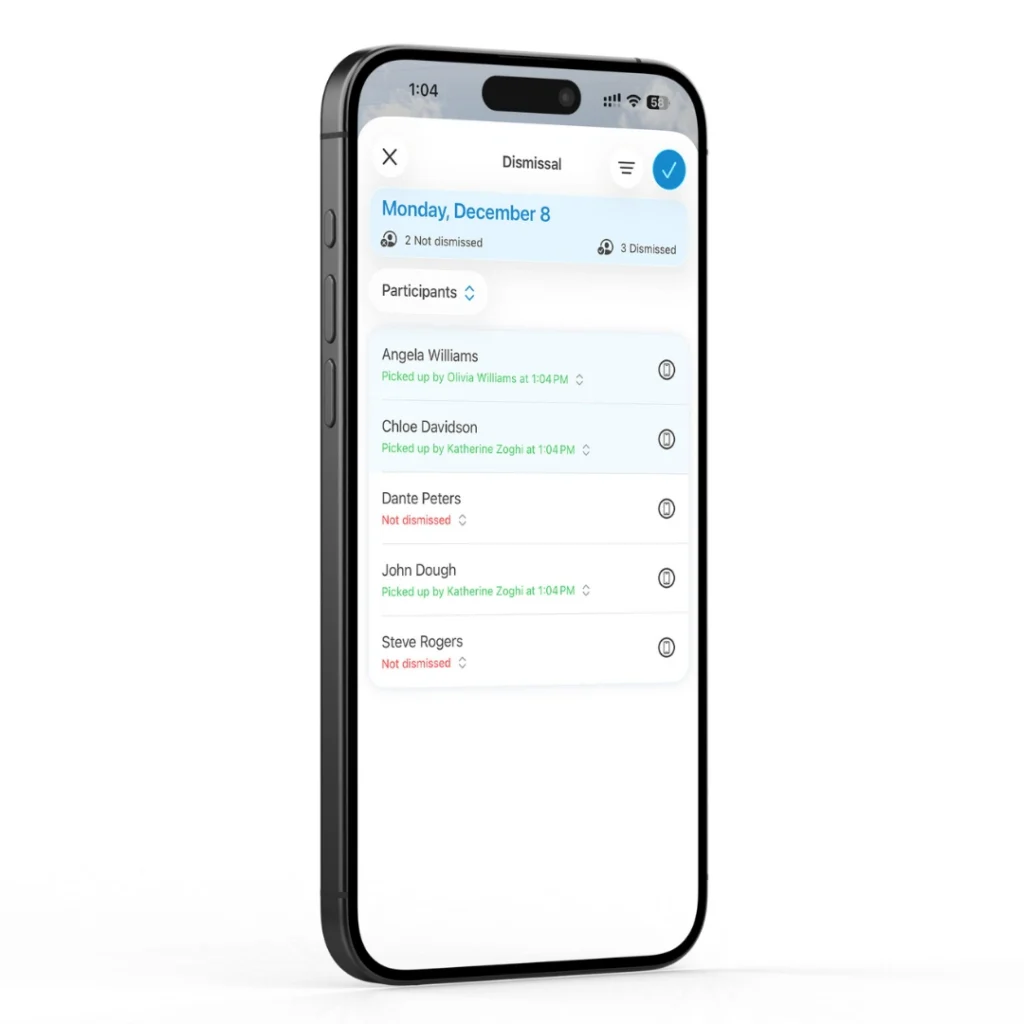
Dismissal – Safer, smoother pickup
Make end-of-day pickup calm and secure. Staff can quickly see who’s authorized to pick up each participant, record how they left, and reach families in seconds if plans change.
Key points:
- See authorized pickup options for each participant at a glance
- Support parent/guardian, bus, authorized adult, or self check-out
- Log dismissal time and method in real time for accountability
- Access phone numbers instantly for emergencies or last-minute updates
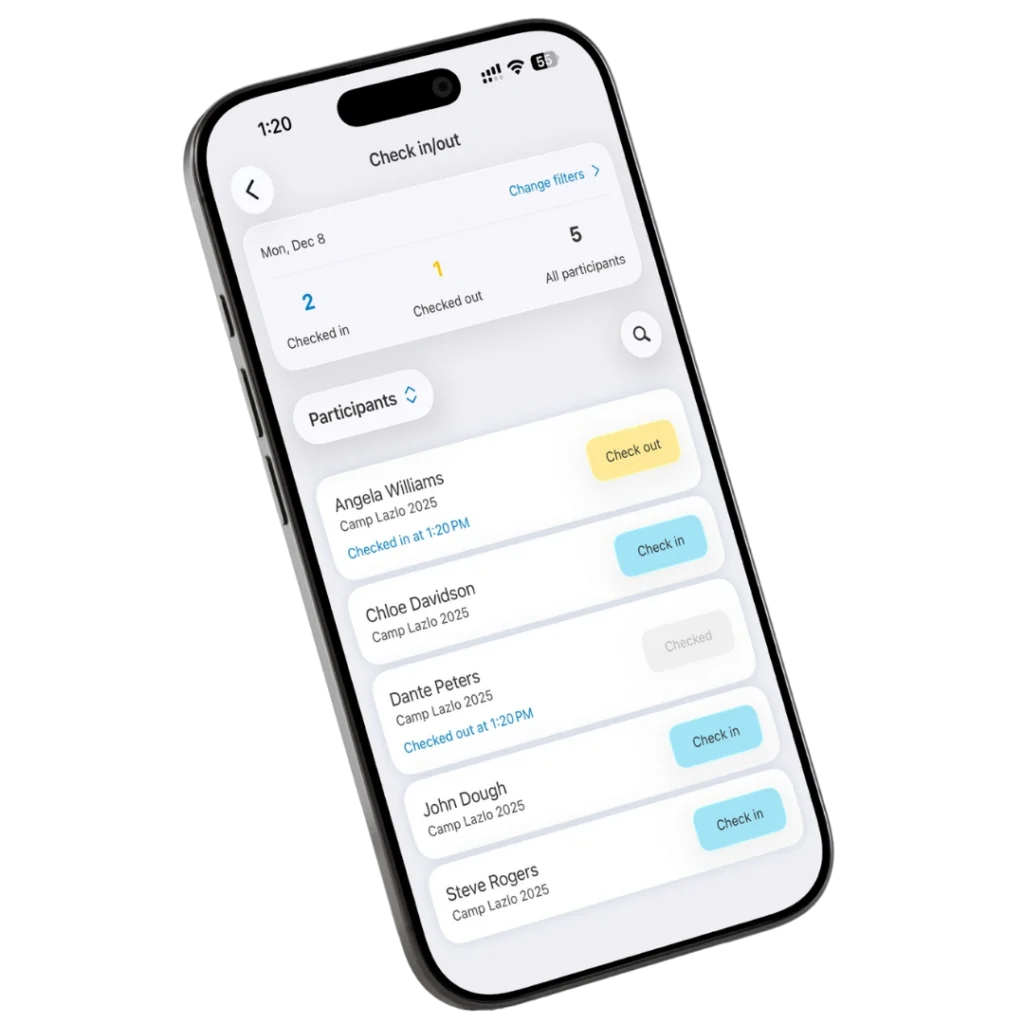
CICO – Fast Check-In/Check-Out for Daily Sessions
Streamline daily check-in and check-out while keeping a clear record of who arrived, who left, and who handled pickup – all from one simple view.
Key points:
- See who’s checked in, checked out, or pending at a glance
- Track time-in/time-out per participant for compliance and billing
- Record who handled drop-off or pickup (parent, caregiver, bus, etc.)
- Connect CICO with attendance and dismissal to see the full daily flow
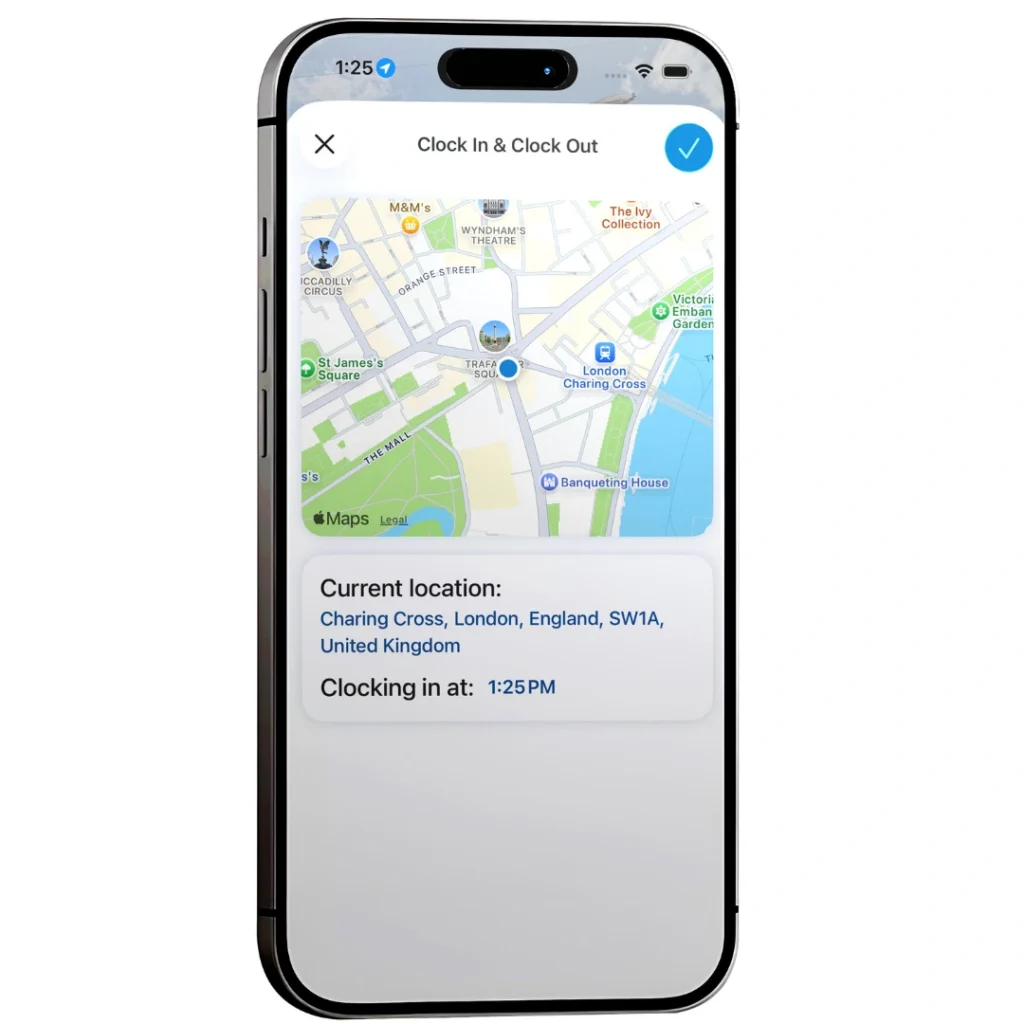
Clock In/Out – Transparent Time Tracking
Easily track instructor and staff work times with clock-in/out from the app, GPS verification where enabled, and clean records that flow straight into your admin reports.
Key points:
- Instructors clock in and out directly from the app
- Optional GPS verification for added accountability
- On-site coordinators can submit times on behalf of staff
- Time data is logged in the admin dashboard for payroll and compliance
Calendar
Your Schedule, Always in Your Pocket
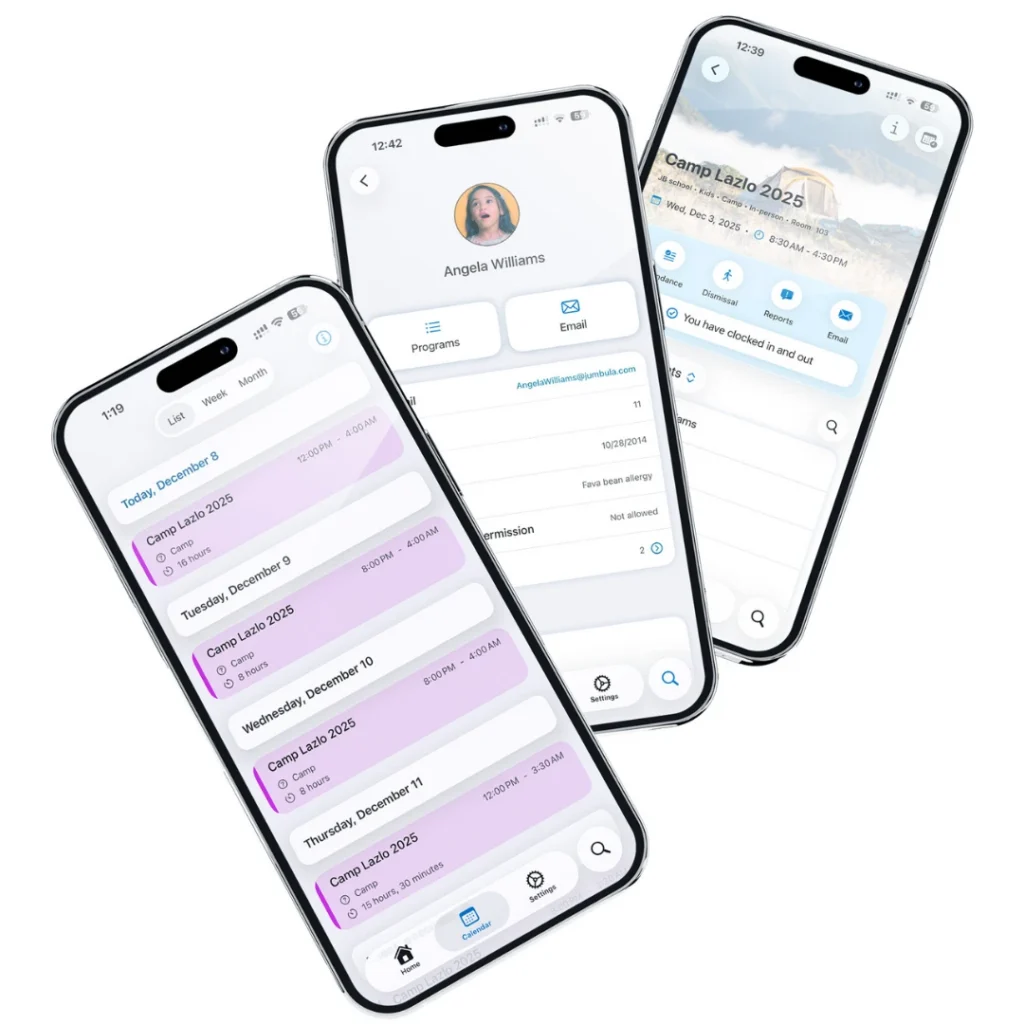
Stay on top of busy schedules with daily, weekly, and monthly views that show what’s happening across programs and locations. The Calendar tab offers a focused Day view, a quick-glance Week view, and a forward-looking Month view. Color-coded program types and easy navigation make it simple for staff to find what they need fast.
Your All-in-one App to Grow Your Business
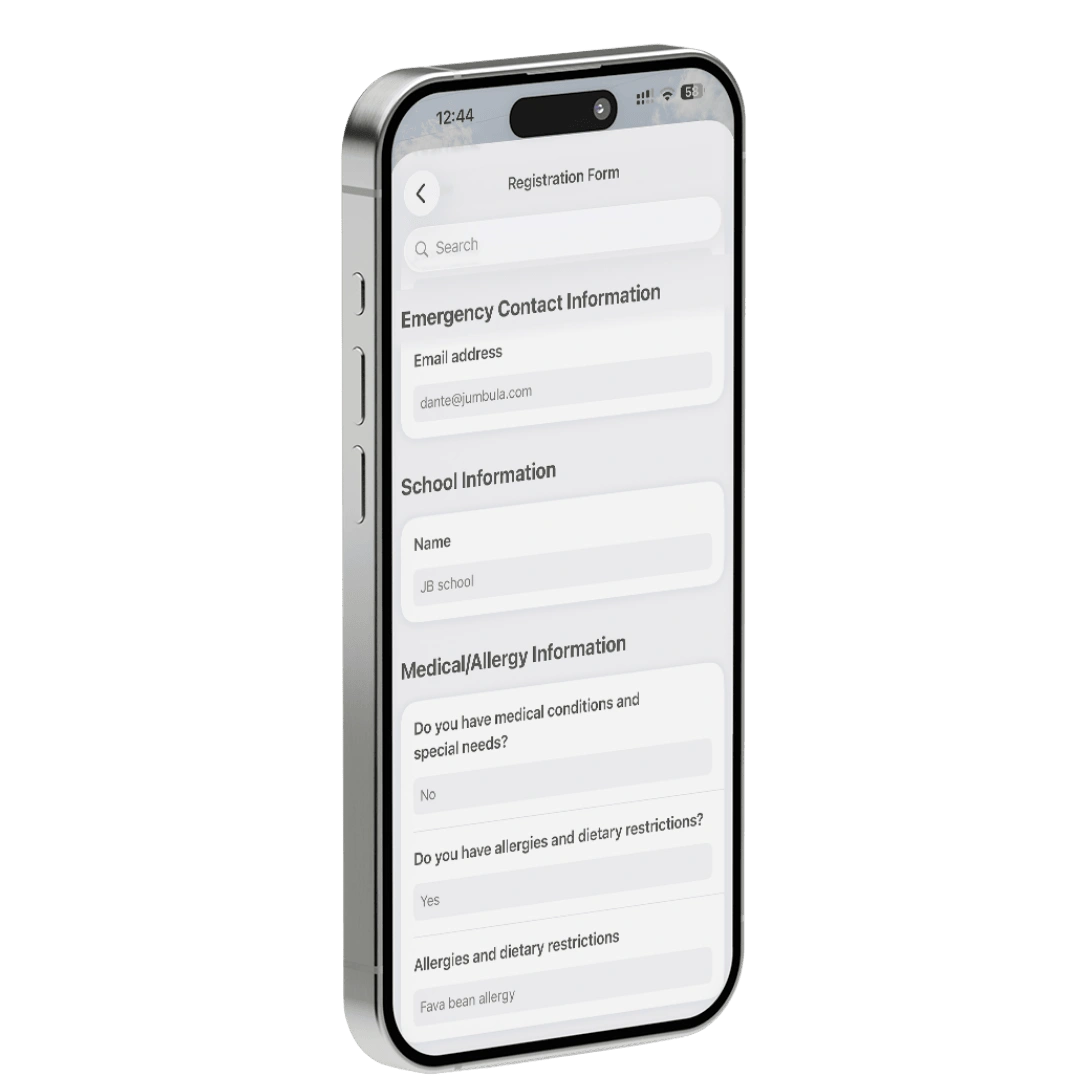
Participant Profiles & Forms
Give staff one clear, reliable view of every participant – contact details, medical info, groups, waivers, and more, so they can quickly access the details they need without leaving the app.
- Participant Profiles & Forms display group assignments and allow authorized staff to open full registration forms for deeper review.
- Clear signed/accepted indicators make waiver checks fast and dependable.
- Built-in keyword search (e.g., “allergy”) lets teams jump directly to critical information in seconds.
Real-Time Insights
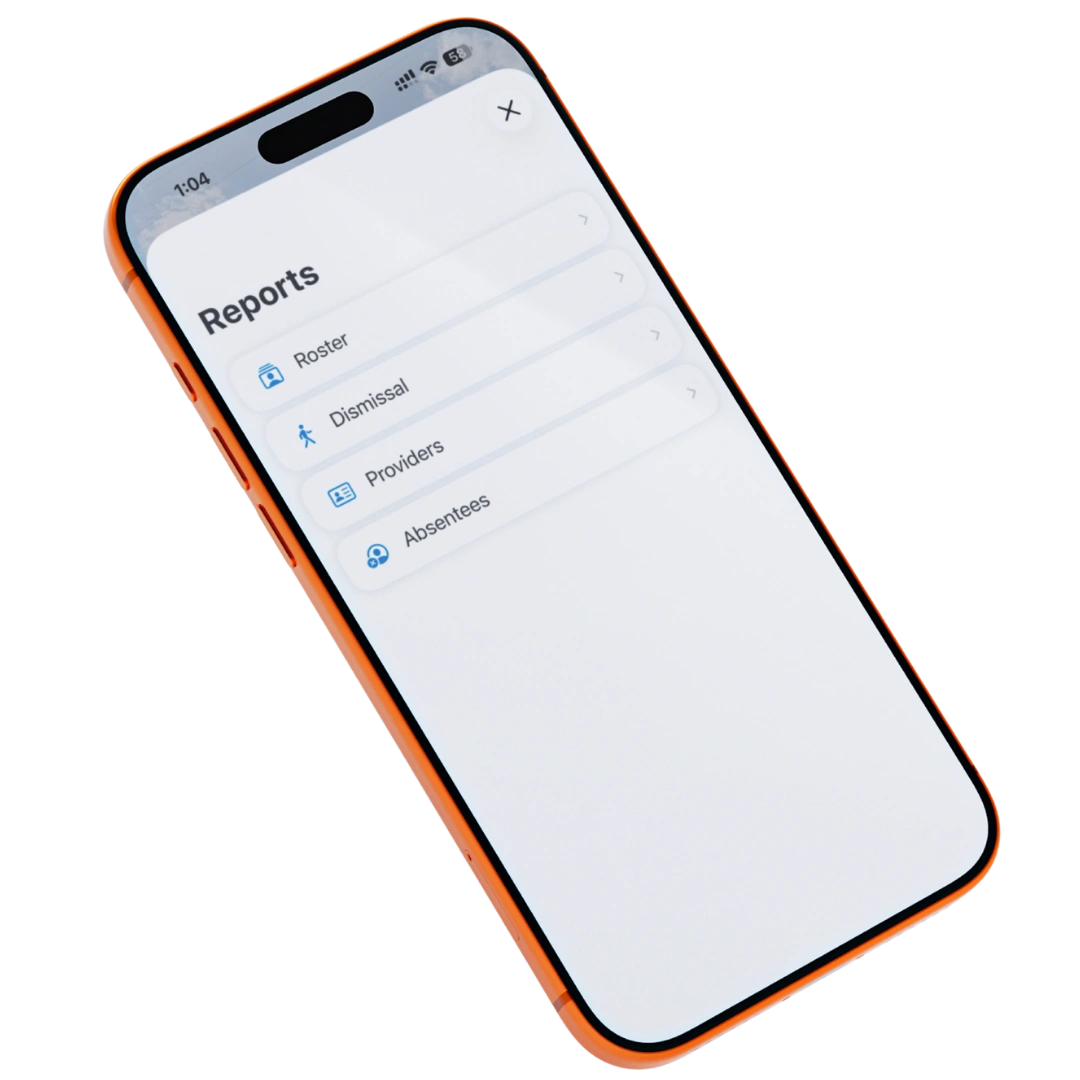
Your staff does not need to be at a desk to get the information they need. The Jumbula Business App delivers key reports to any device, enabling on-the-spot decision-making.
- Roster report with essential participant details, including allergies and medical notes
- Absentee report to track who missed sessions and follow up if needed
- Providers report to see which staff are assigned to each program
Search
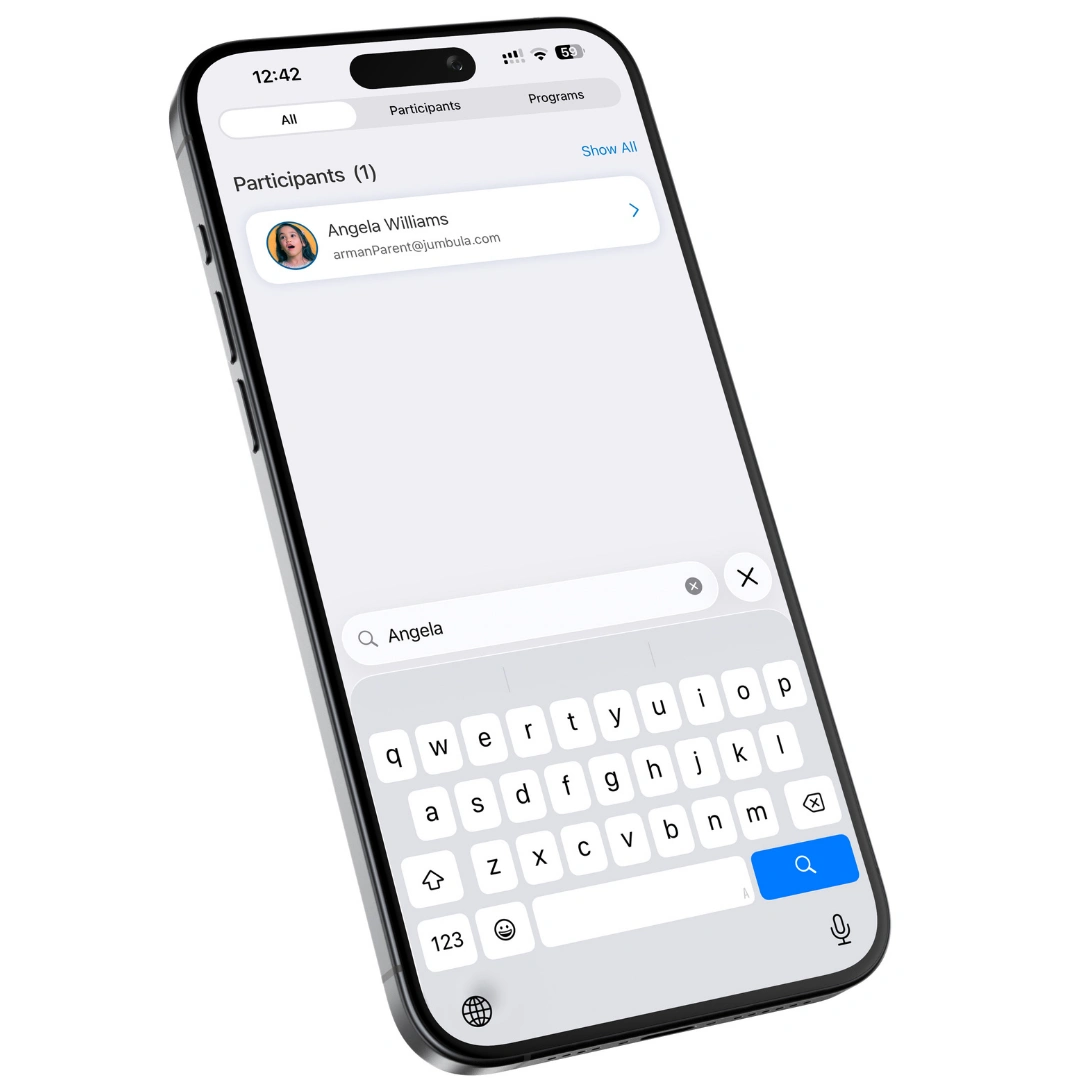
Use universal search to find participants or programs in seconds and open their details right when you need them.
- Universal search across participants and programs
- Jump straight from search results into profiles or program views
- Quickly access critical participant details when time is tight

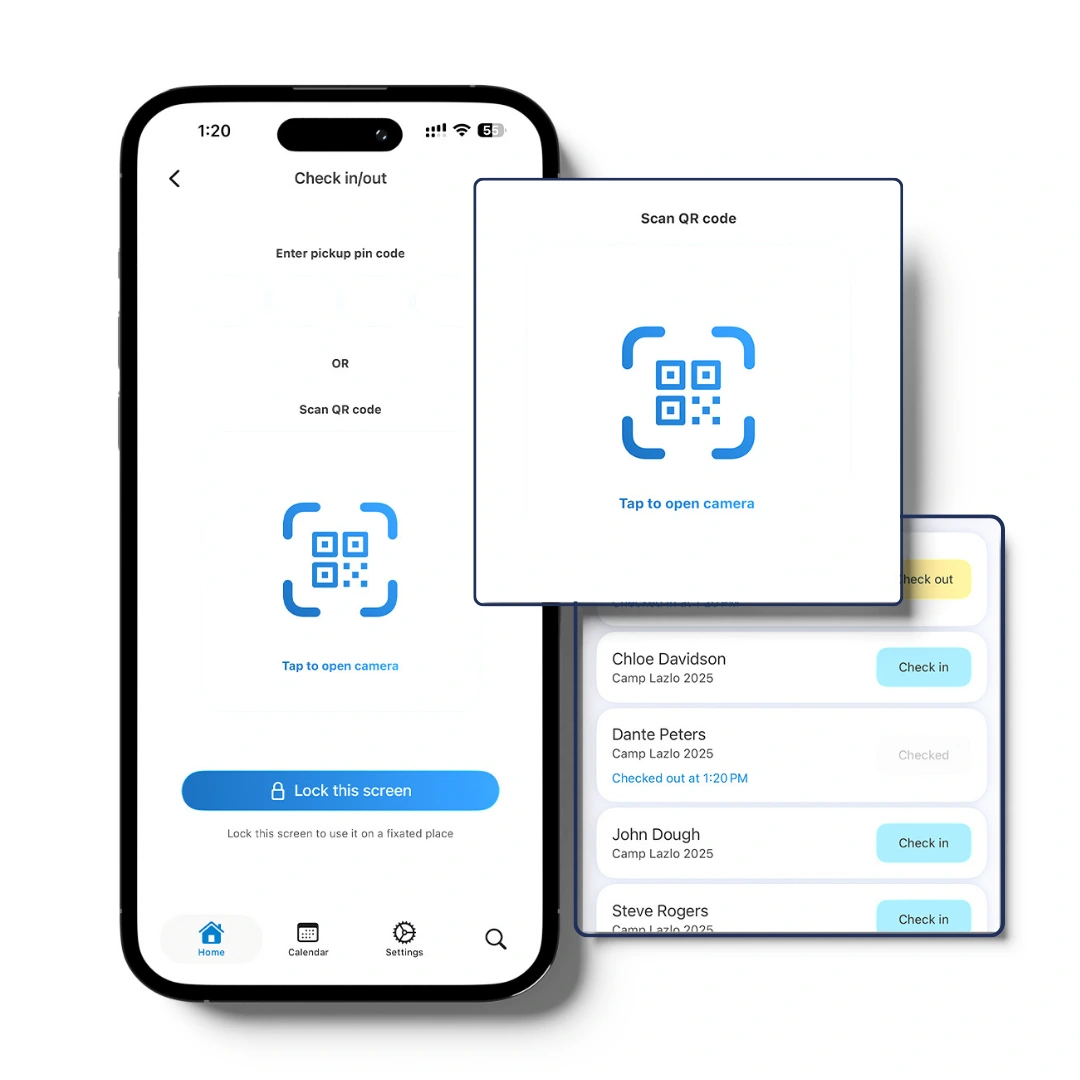
Scan Codes & Kiosk Mode
Fast, modern check-in with scan codes and kiosk mode. Turn any device into a self-service station so families can sign in and out on their own - without creating bottlenecks.

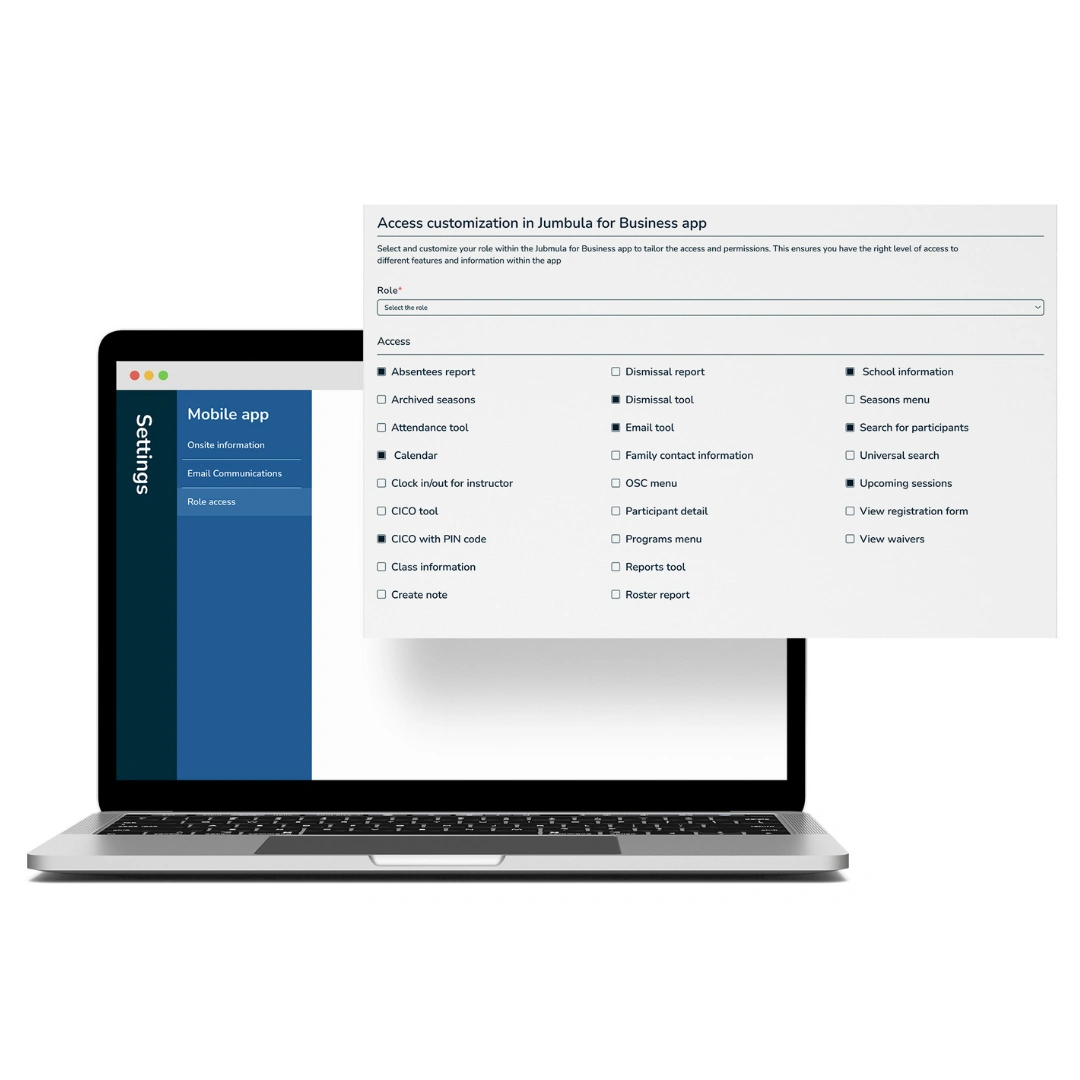
Customization & Role-Based Access
Shape the app around how your organization really works. Admins control who sees what, while staff personalize views to match their day-to-day tasks.
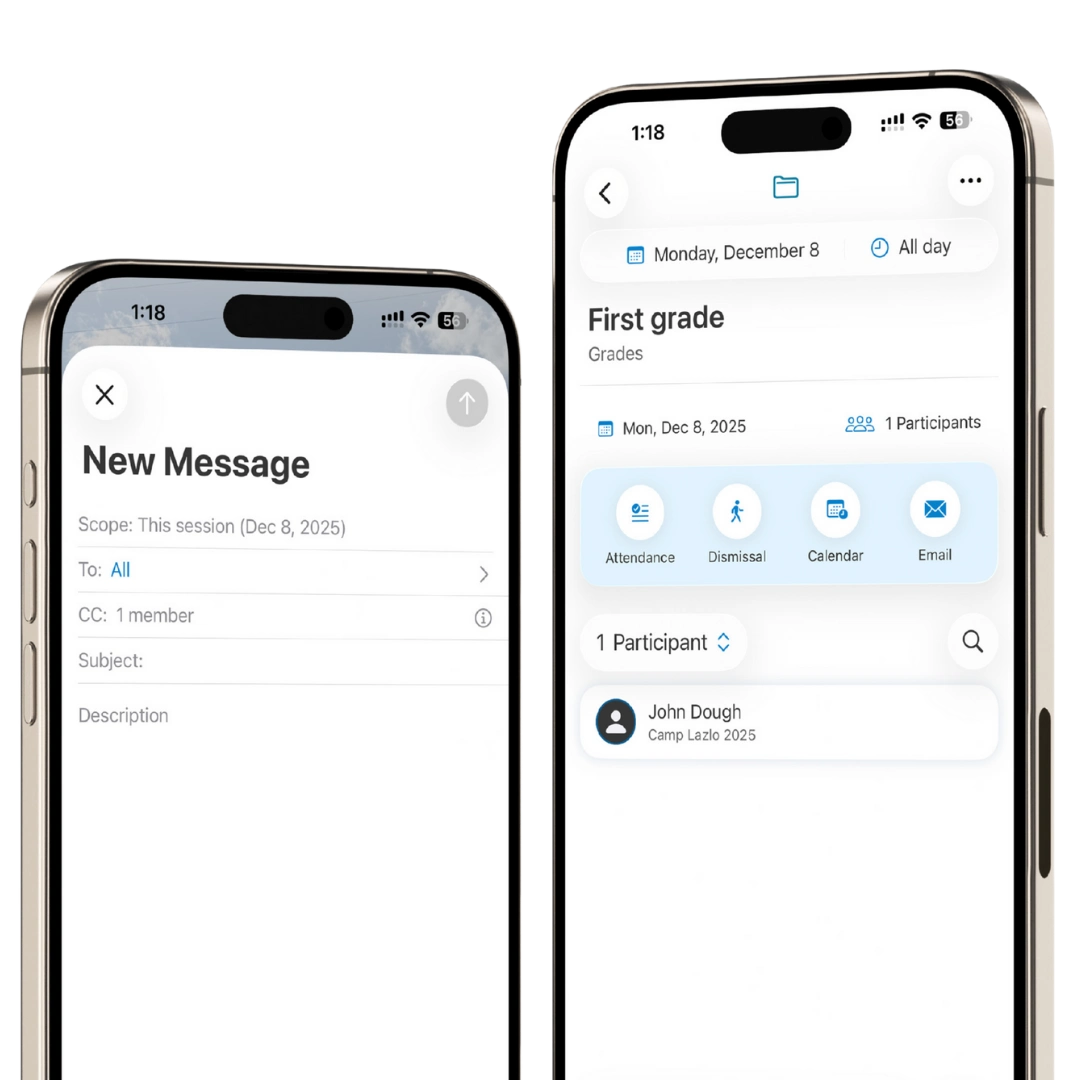
Email & Groups
Organize and communicate with the right groups
Stay organized with participant groups and send professional communications when needed, all within the Jumbula ecosystem.
Key points:
- Use groups to organize participants (for example: classes, teams, or bus groups)
- See a participant’s assigned groups directly from their profile
- Send email communications through your existing Jumbula tools when you need to follow up with specific groups or families